Voice Agent Handoff Made Simple in jambonz
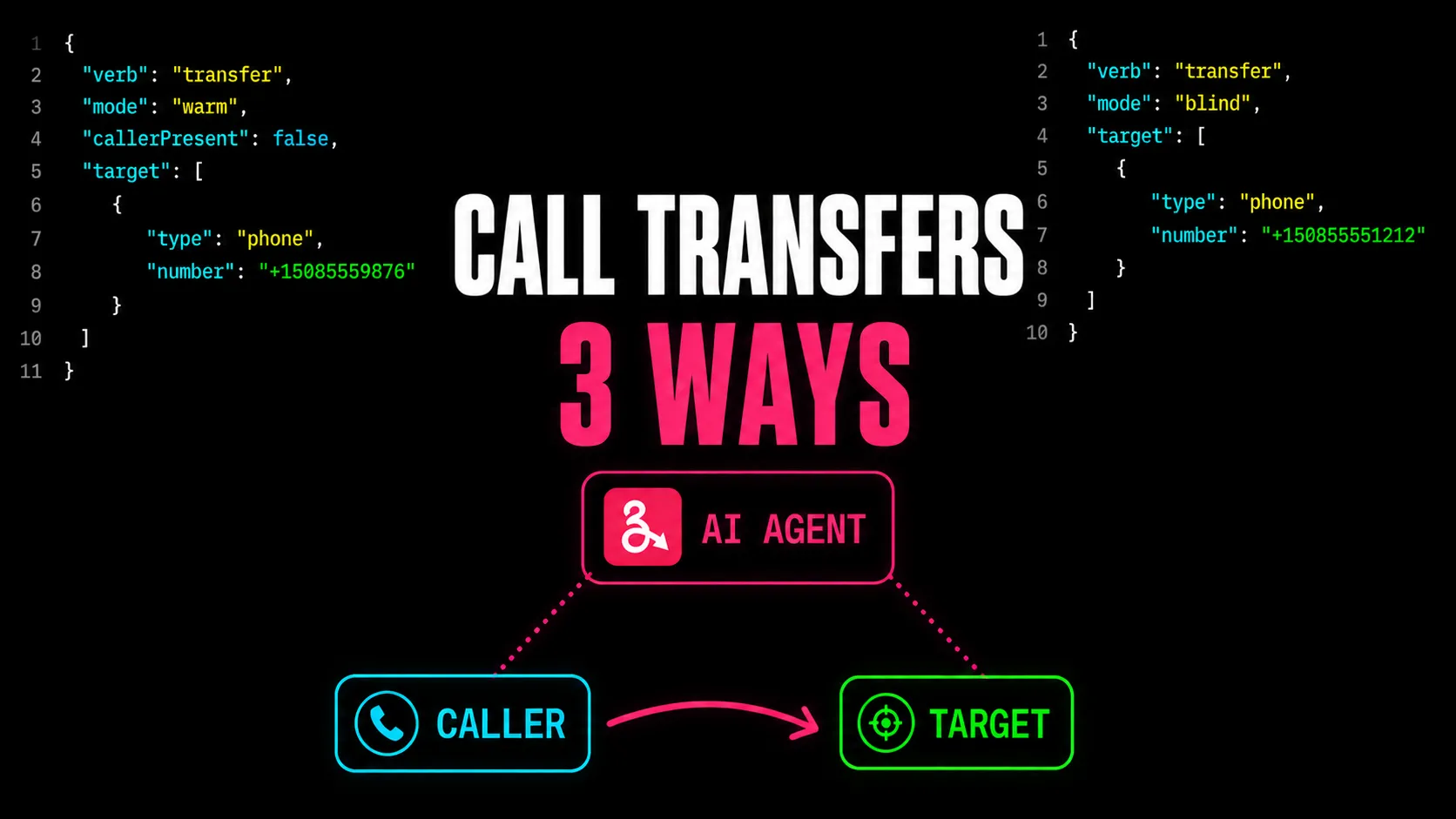
Every production voice agent eventually needs to bring in a human, and there are three possible ways to do that:
- Blind transfer. The caller is connected directly to the human with no briefing.
- Warm transfer. The caller is put on hold while the human is briefed privately, then connected.
- Three-way warm transfer. The human is brought into the call while the caller stays on the line, so the caller hears the introduction.
jambonz has always had best-in-class support for telephony and all three methods have been supported for a long time. However, prior to v11, orchestrating a handoff required building a custom transfer workflow, and it could get a bit complicated.
So in v11, we’ve introduced a simple declarative approach to defining the handoff approach you want for your voice agent.
Why Handoff Usually Means Writing a Workflow
On most voice AI platforms, “transfer to a human” is not a feature. It’s a
project. A warm transfer in particular means orchestrating it yourself: create a
consultation room, place an outbound call to the specialist, move participants
between rooms, tear it all down when someone hangs up. LiveKit, for example,
exposes this as a WarmTransferTask built from CreateSIPParticipant and
MoveParticipant primitives. Powerful, but it’s plumbing you own, test, and
maintain.
jambonz collapses that into a single declarative handoff block on the agent
verb (if you are building a cascaded voice pipeline) or the s2s verb if you are building a
speech-to-speech voice agent.
You describe the outcome you want; jambonz injects a transfer_to_human
tool for the model and runs the entire choreography when the model calls it:
dialing, screening, briefing, bridging, and fallback.
The division of responsibilities is clear:
- you declare which kind of handoff happens;
- the LLM decides when to trigger it, by calling the injected tool once it understands what the caller needs; and
- jambonz handles the mechanics of the transfer: dialing, briefing, bridging, and fallback.
The Three Handoff Types in jambonz v11
All three are the same agent(or s2s) verb with a different handoff block. The full,
runnable versions of each (built on @jambonz/sdk, ≥ 0.8.3) live in
the transfer-apps examples.
1. Blind Transfer
The caller is connected directly to the human, with no briefing step. Fastest
option; best for simple routing where context handoff doesn’t matter. Here’s the
whole agent, so you can see where handoff fits:
session
  .agent({
    stt: { vendor: 'deepgram', language: 'en-US' },
    tts: { vendor: 'cartesia', voice: ttsVoice },
    llm: {
      vendor: 'openai',
      model: 'gpt-4.1-mini',
      llmOptions: { systemPrompt },
    },
    turnDetection: 'krisp',
    handoff: {
      mode: 'blind',
      blindMethod: 'refer',                       // 'refer' (SIP REFER) or 'dial' (bridged call)
      callerId,
      disposition: { onNoAnswer: 'return', onBusy: 'return', onFailure: 'return' },
      actionHook: '/transfer-done',
    },
    eventHook: '/agent-event',
    actionHook: '/agent-done',
  })
  .send();
2. Warm Transfer (Private Briefing)
The caller is parked on hold while the voice agent calls the human and briefs
them privately. The human is screened with a confirm gate (they press a digit
to accept), and only then is the caller connected. Just the handoff block (the
rest of the agent is identical):
session
  .agent({
    stt: { vendor: 'deepgram', language: 'en-US' },
    tts: { vendor: 'cartesia', voice: ttsVoice },
    llm: {
      vendor: 'openai',
      model: 'gpt-4.1-mini',
      llmOptions: { systemPrompt },
    },
    turnDetection: 'krisp',
    handoff: {
      mode: 'warm',
      callerPresent: false,        // caller is parked; doesn't hear the brief
      target: [{ type: 'phone', number: target }],
      callerId: '+15085550101',    // optional: caller ID on outbound call to human agent
      brief: {
        template:
          'In one sentence, tell the specialist why the caller is calling, then say ' +
          'exactly: "Press one to connect, or hang up to decline."',
      },
      confirm: { prompt: 'Press one to connect.', digit: '1' },
      onHoldHook: '/on-hold',                        // what the parked caller hears during the brief
      disposition: { onNoAnswer: 'return', onBusy: 'return', onDecline: 'return', onFailure: 'return' },
      actionHook: '/transfer-done',
    },
    eventHook: '/agent-event',
    actionHook: '/agent-done',
  })
  .send();
3. Conferenced (Three-way) Handoff
The voice agent brings the human onto the call while the caller stays on the
line, so the caller hears the introduction happen. The call continues as a
three-way conversation until the agent drops off. The only difference from a warm
transfer is a single property: callerPresent: true.
session
  .agent({
    stt: { vendor: 'deepgram', language: 'en-US' },
    tts: { vendor: 'cartesia', voice: ttsVoice },
    llm: {
      vendor: 'openai',
      model: 'gpt-4.1-mini',
      llmOptions: { systemPrompt },
    },
    turnDetection: 'krisp',
    handoff: {
      mode: 'warm',
      callerPresent: true,  // caller joins the three-way and hears the brief
      target: [{ type: 'phone', number: target }],
      callerId,
      brief: 'auto',        // let the LLM create the introduction
      disposition: { onNoAnswer: 'return', onBusy: 'return', onDecline: 'return', onFailure: 'return' },
      actionHook: '/transfer-done',
    },
    eventHook: '/agent-event',
    actionHook: '/agent-done',
  })
  .send();
No conference verb, no REST api call to create a second call leg, no second WebSocket endpoint. jambonz joins the caller into the three-way and lets the voice agent introduce them before dropping out of the conference.
For details on each of the handoff properties please review our docs.
Call Transfer When Not Building a Voice Agent
Call transfer is also available for apps that do not implement a voice agent. Perhaps you are building a
simple CPaaS-type callflow using say, gather etc and you want to do a call transfer?
No problem, in that
case you can simply use the standalone transfer verb. The
same options described above for the agent handoff are available in the transfer verb.
What Happens When the Handoff to Human Fails?
Of course, the call handoff / transfer to human can fail: the person targeted by the handoff may decline the call, the call attempt itself might fail for various reasons, etc. What control do you have over scenarios where this happens?
This is where you use the disposition object. A handoff can fail in a handful of distinct ways, and you configure what should happen for each one independently:
onNoAnswer(the called party did not pick up),onBusy(the called party was busy),onDecline(the called party actively rejected the call, failed a confirmation prompt, or were caught by answering-machine detection), andonFailure(the call failed with a sip non-success final status code).
Each of these outcomes can be mapped to one of three values (return, voicemail, or hangup), and if you don’t specify one, it defaults to return.
The important thing to understand is that when a handoff fails, the caller is still on the line; they simply never got connected to a human. The disposition is your instruction for what to do with them at that point.
Setting a disposition to voicemail routes the caller straight to the voicemailUrl you provide (a SIP URI or an HTTP endpoint that returns verbs); they leave the AI conversation behind and land in your voicemail application flow, as defined by the jambonz application which is served from that URL.
Setting it to hangup ends the call outright. And setting it to return (the default) hands the caller back to the AI agent: jambonz re-attaches the live LLM session, and the agent picks the conversation right back up, so it can gracefully recover with something like “It looks like everyone’s busy right now. Is there anything else I can help you with?”
So the choice comes down to what you want the caller’s experience to be when no human is available. Use return for the failure cases where the AI should stay in control and keep helping; use voicemail when you’d rather let them leave a message; and use hangup when there’s genuinely nothing more to offer. A common pattern mixes them: send unanswered or busy calls to voicemail, but let declines and errors fall back to the agent:
session
  .agent({
    ...
    handoff: {
      mode: 'warm',
      target: [{type: 'phone', 'number': '+15551234567' }],
      disposition": {
        onNoAnswer: 'voicemail',
        onBusy: 'voicemail',
        onDecline: 'return',
        onFailure: 'return',
        voicemailUrl: '/voicemail'
    }
  }
}
How Does jambonz Compare to Other Voice AI Platforms?
| Feature | jambonz | Other voice AI platforms |
|---|---|---|
| Blind (cold) transfer | Built in | Built in, or via SIP REFER |
| Warm transfer | Built in | Usually via transfer APIs |
| Conferenced handoff | Built in | Often requires custom implementation |
| Setup | Voice agent configuration | Platform config or custom code |
Capabilities vary by platform. The conferenced handoff is the one that stands out: bringing a human into a live three-way with the caller, while the agent introduces them and then steps away, is rarely a built-in on other platforms. In jambonz it’s one property.
Getting Started with jambonz
Handoff is available now in jambonz v11. See the voice agent documentation for how to configure blind, warm, and conferenced transfer on your agent, and the transfer-apps examples for complete, deployable apps for all three.
Frequently asked questions
What is the difference between blind (cold) transfer and warm transfer in voice AI?
A blind transfer connects the caller straight to the destination with no briefing. It's the fastest option, best for simple routing. A warm transfer puts the caller on hold while the voice agent reaches the human first and briefs them privately, so the human has context before the caller is connected.
What is a conferenced handoff?
A conferenced (three-way) handoff brings the human onto the call while the caller stays on the line, so the caller hears the introduction happen. It continues as a three-way conversation until the voice agent drops off. In jambonz this is a warm transfer with callerPresent set to true.
Do I need to write custom code for voice agent handoff in jambonz?
No. All three handoff types are declared on the agent verb's handoff property. jambonz injects a transfer_to_human tool the model can call and runs the entire transfer choreography for you: dialing, screening, briefing, bridging, and fallback. There is no transfer workflow to build.
Does the LLM choose which type of transfer to use?
No. You configure the handoff type (blind, warm, or conferenced) on the agent. The LLM only decides when to hand off, by calling the injected transfer_to_human tool once it understands the caller's need.
What happens if the human doesn't answer or declines the transfer?
Each outcome (no answer, busy, declined, or failure) has a configurable disposition: return the caller to the voice agent, send them to voicemail, or hang up. By default the caller is returned to the agent, which resumes the conversation.
What does the transfer verb do in jambonz?
The transfer verb provides a general, simple and declarative means for performing a call transfer to another party from within any jambonz application. When using the agent or s2s verbs the transfer function is baked into the 'handoff' property, in all other cases you can use the transfer verb.